

How it works
Two connected workflows: one code for identity, and AI for the work that follows.
Concept renderings. The panel images on this page show intended use, not a deployed system.
Core identity
Core identity: MARK a lowercase zz code → READ it by camera or manual entry → LINK it to a record → REPORT the words by voice where useful.
Example code: zz-copper-lantern-sky-zz
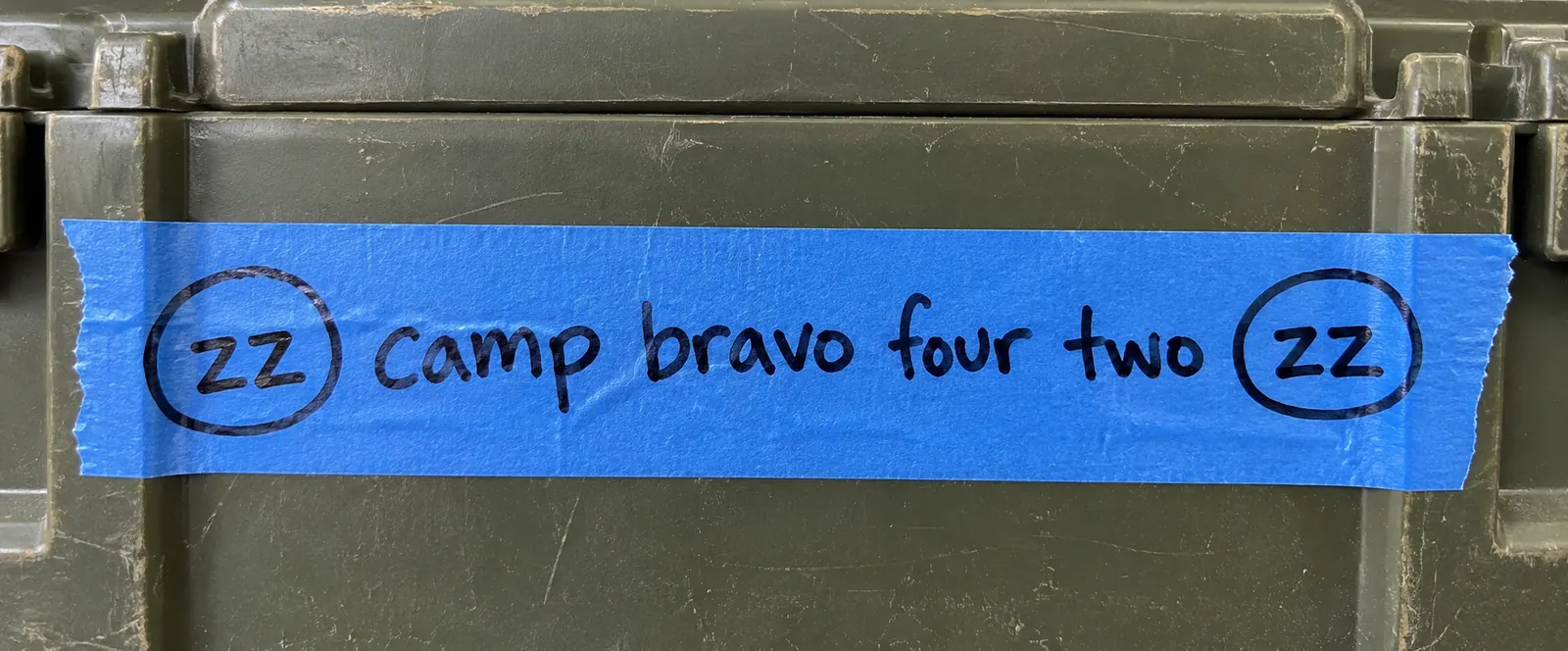 01
01Mark
Write the code on tape, a crate, or a pallet.
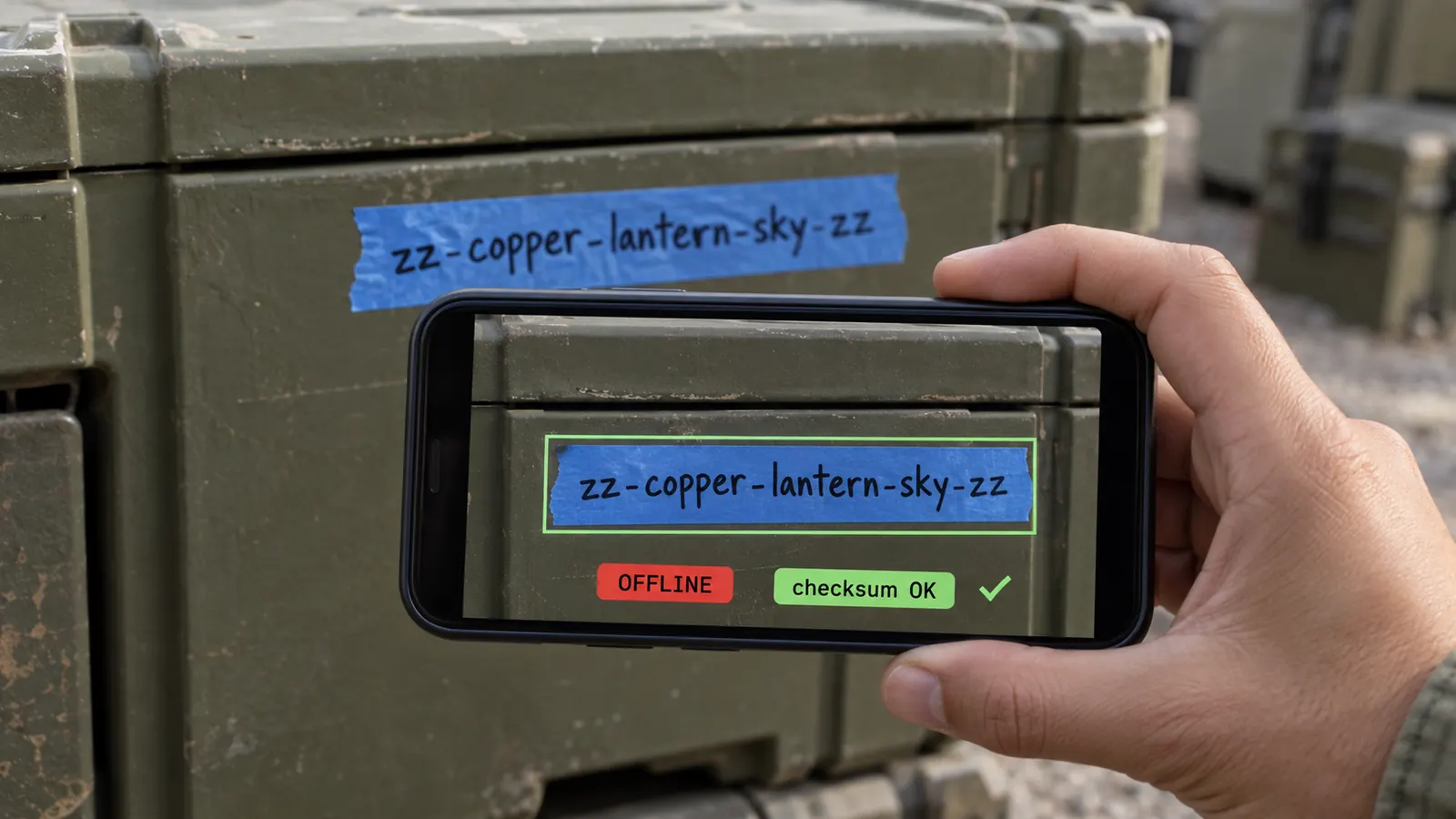 02
02Read
Camera or manual entry.
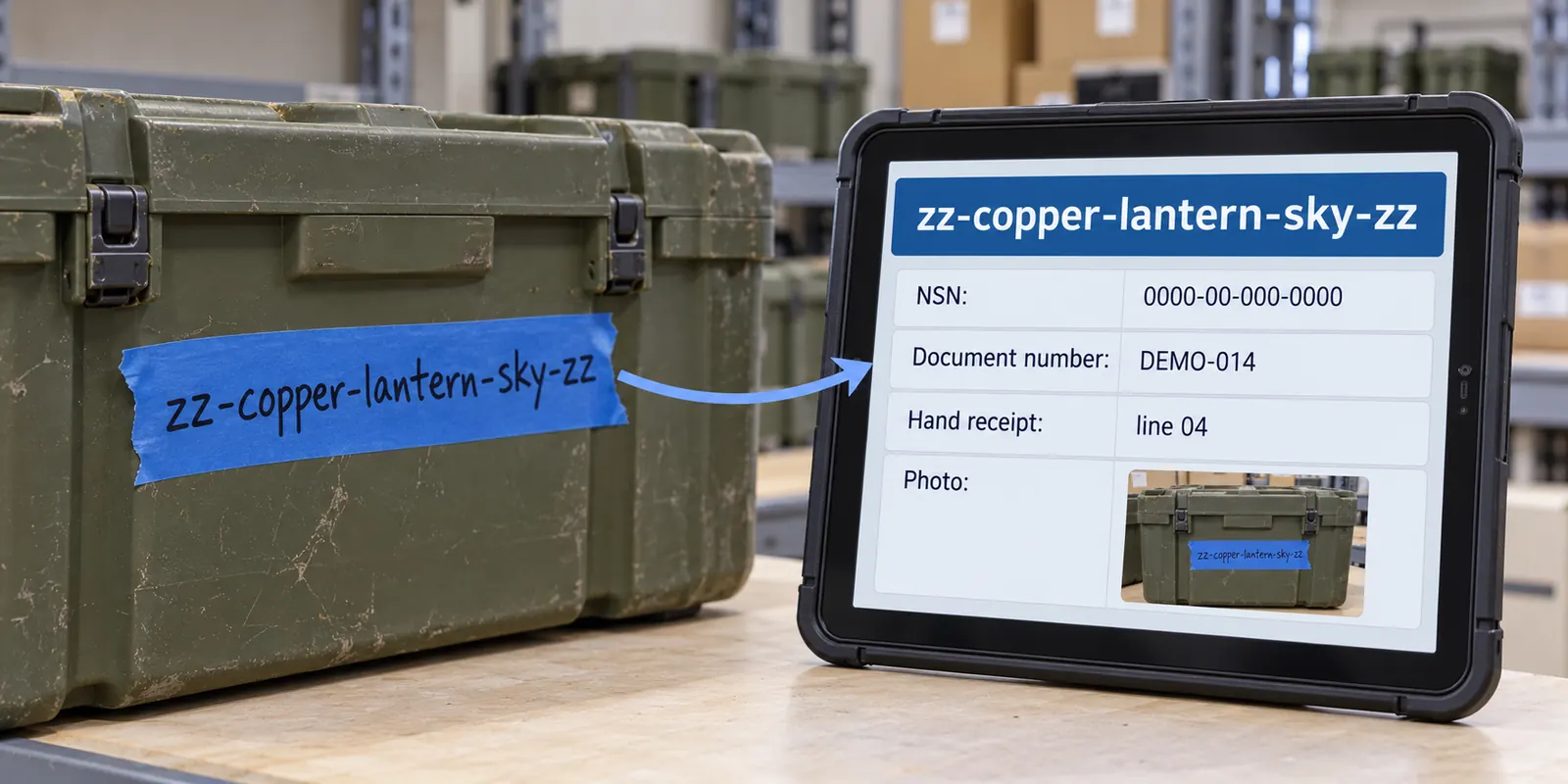 03
03Link
Connect to an existing record and photo.
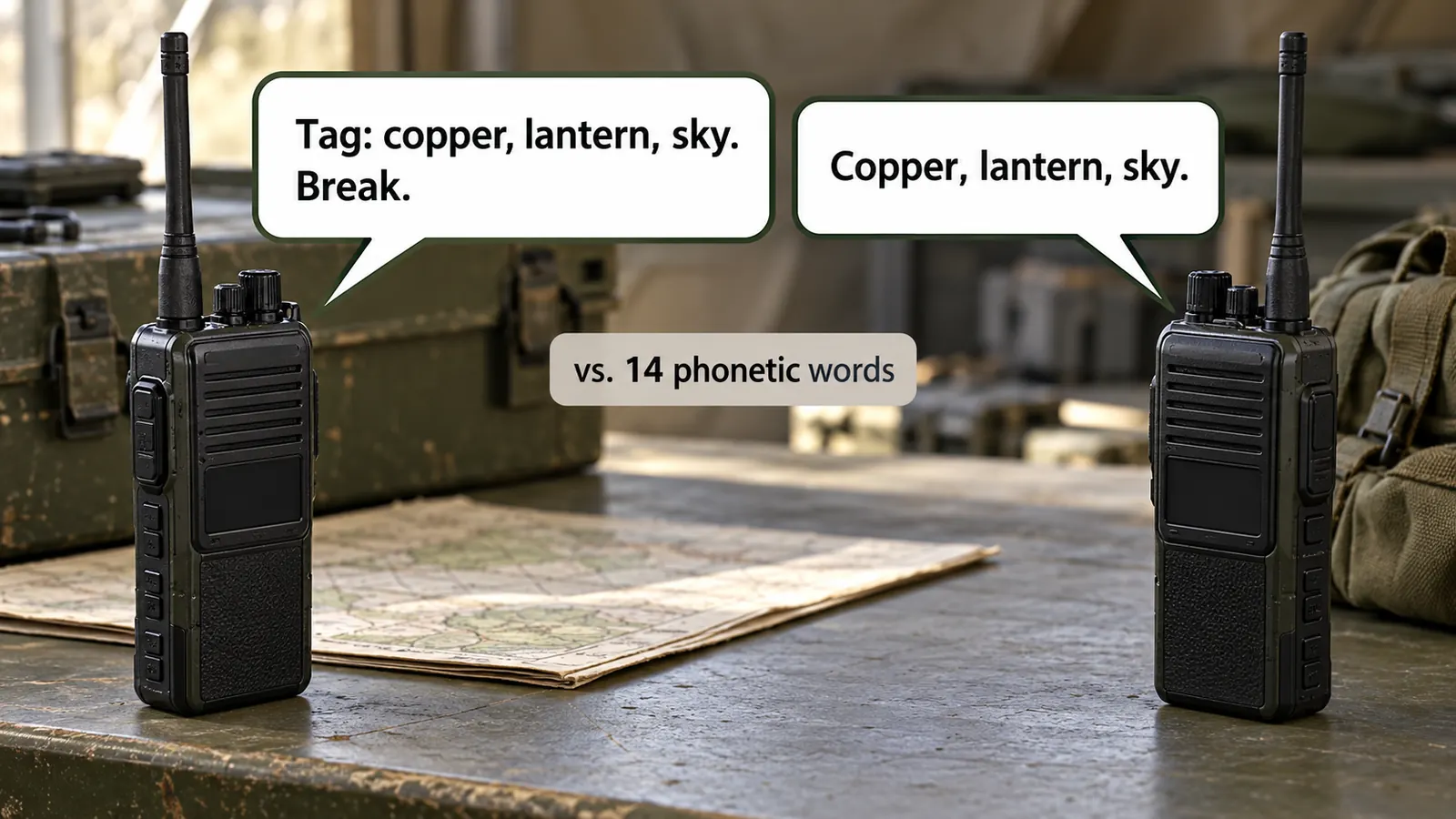 04
04Report
Say the code words if a voice handoff is useful.
For a field code made with no device, link and reconcile later.
Three ways to read a code
Camera
Typing
Voice
Read by camera or manual entry. Report the words by voice where useful. Voice and manual entry are alternate input paths.
Read
Camera or manual entry.
Report
Radio cue and read-back: three code words.
When a reading is uncertain
The design resolves only above a confidence threshold. Otherwise it asks for confirmation, another view, or manual handling.
AI-assisted work
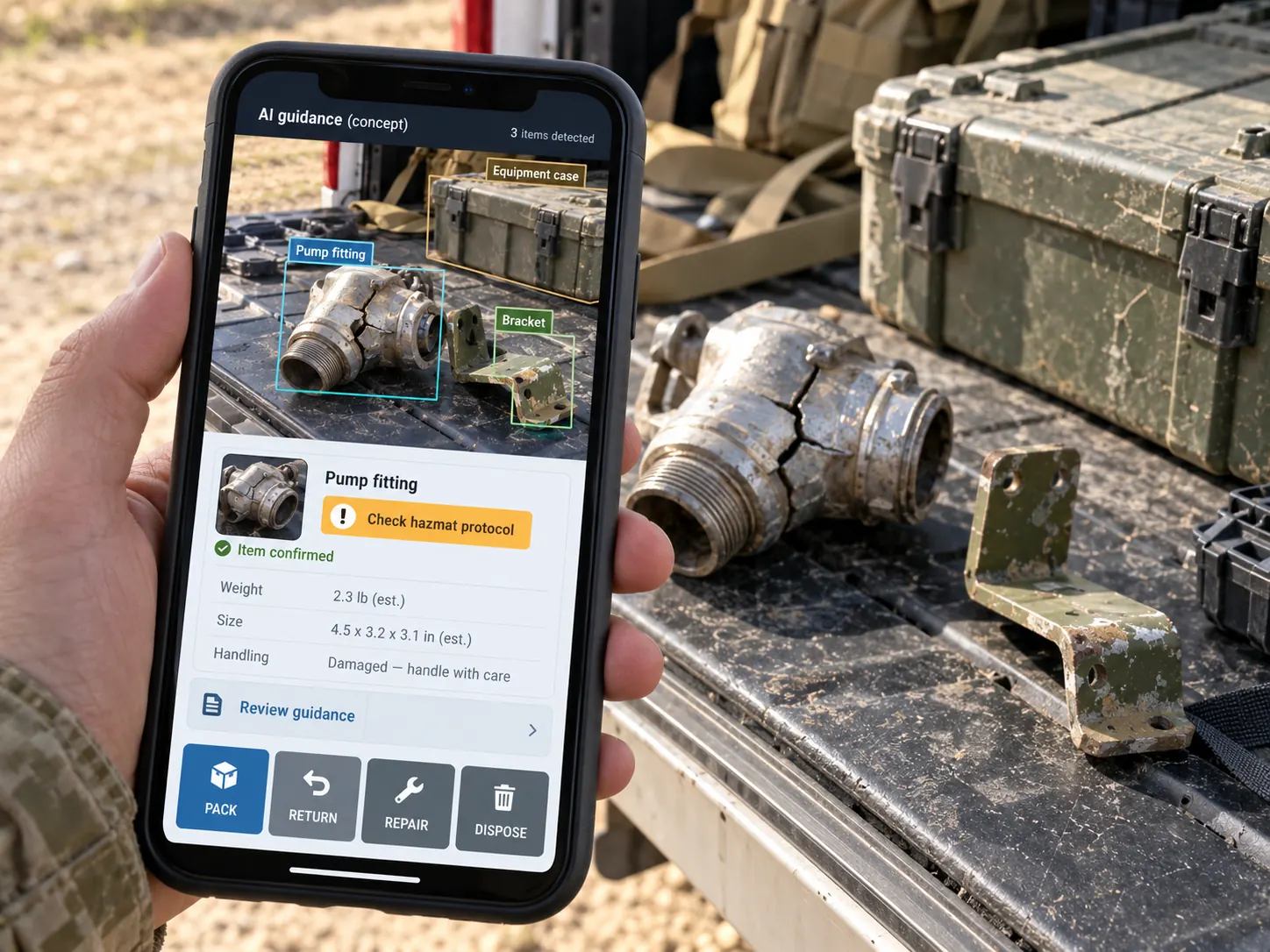
A second layer after the handwritten code: see an item, identify it, choose its next task.
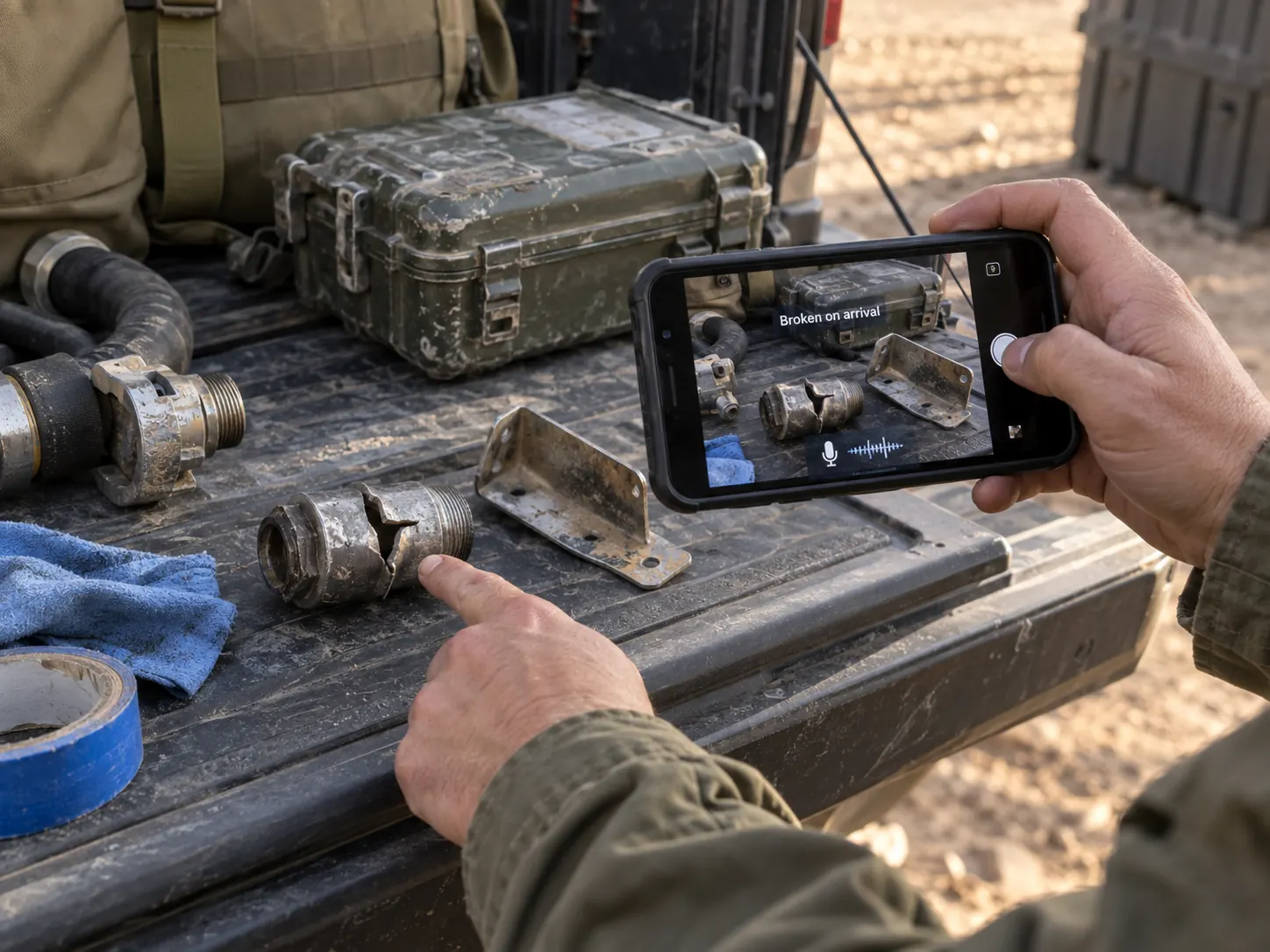 01
01Photograph
Loose or broken items; spoken note.
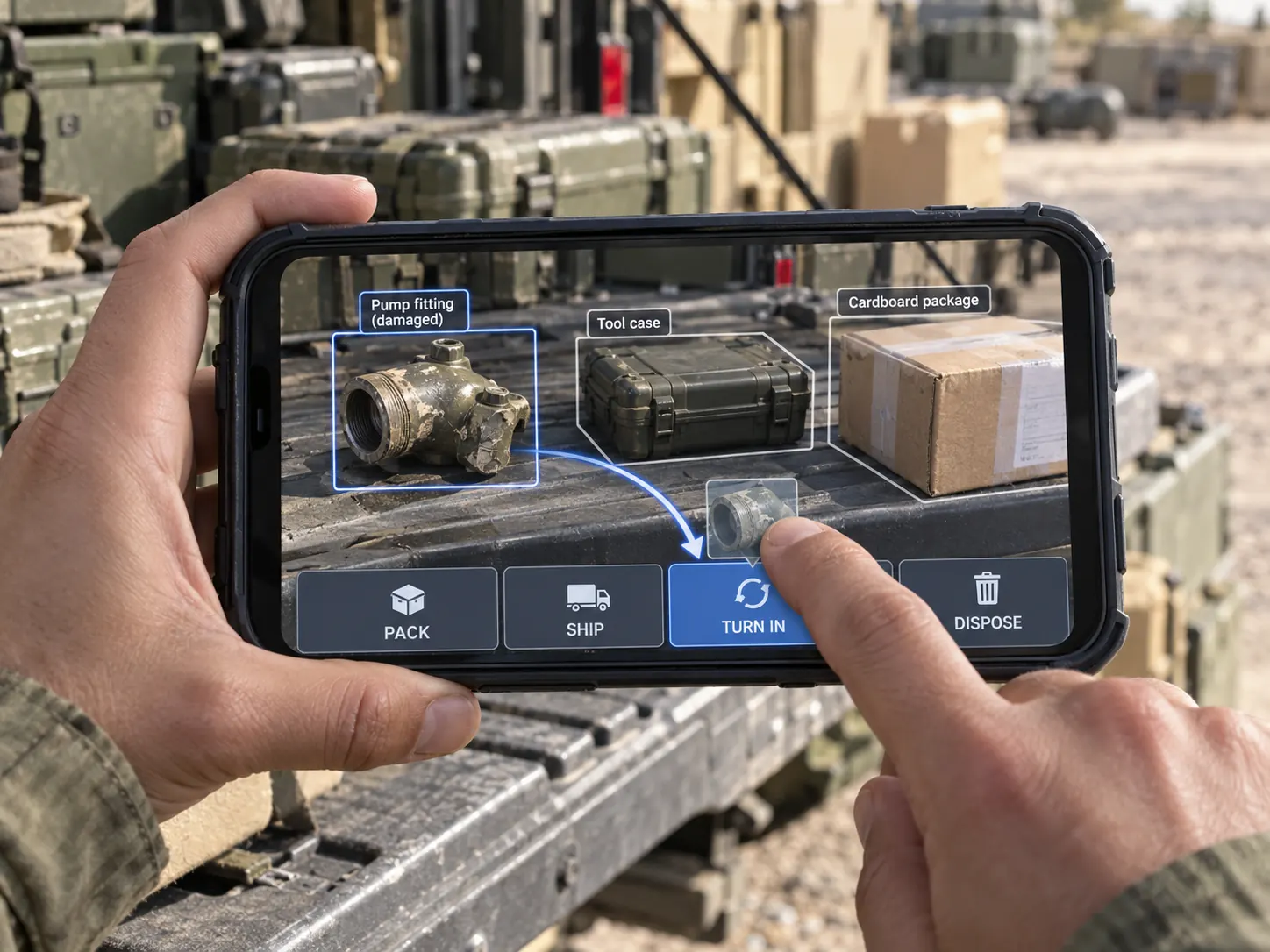 02
02Guide
Confirmed item and handling choices.
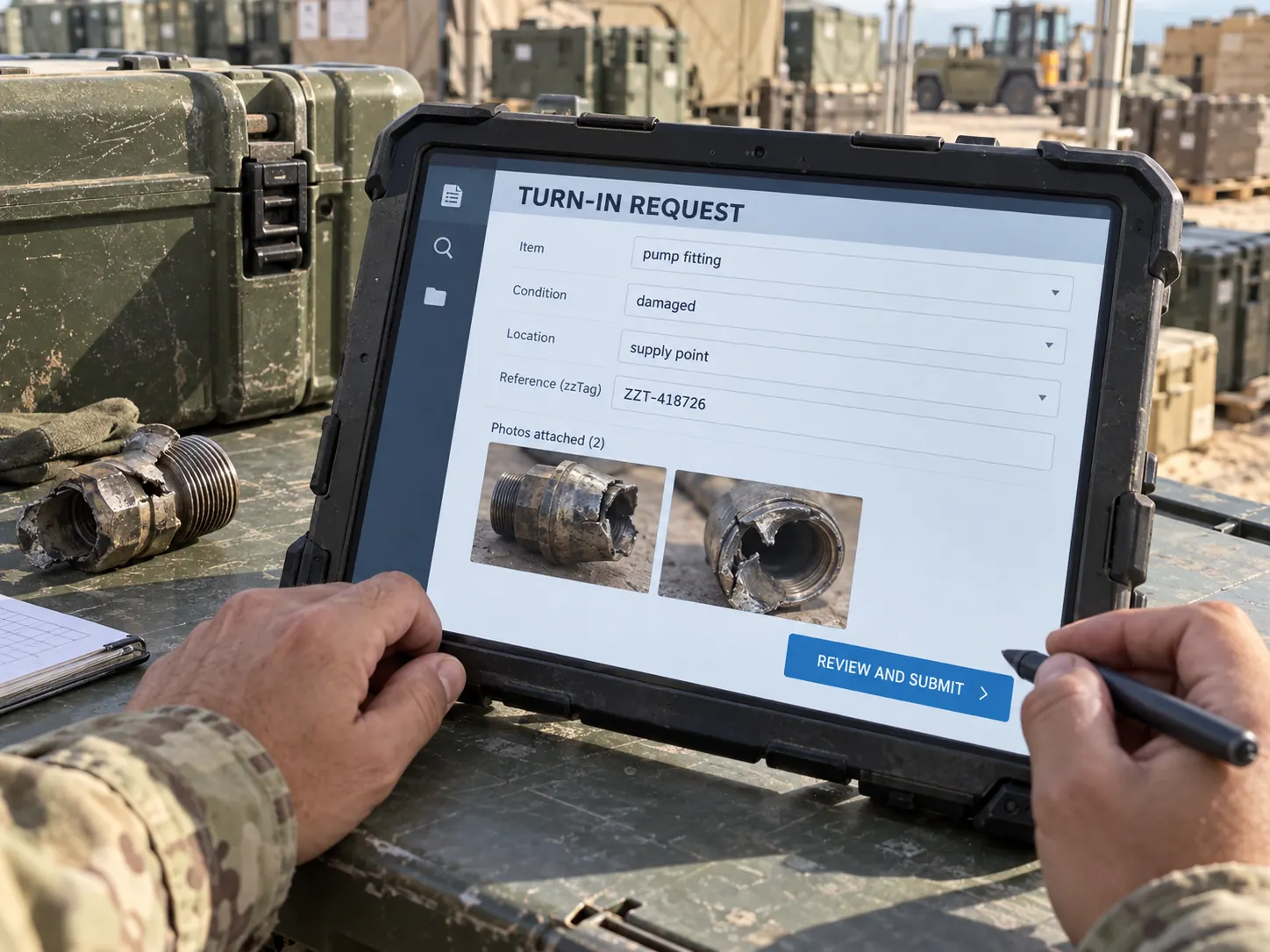 03
03Review
Prepared form and photos.
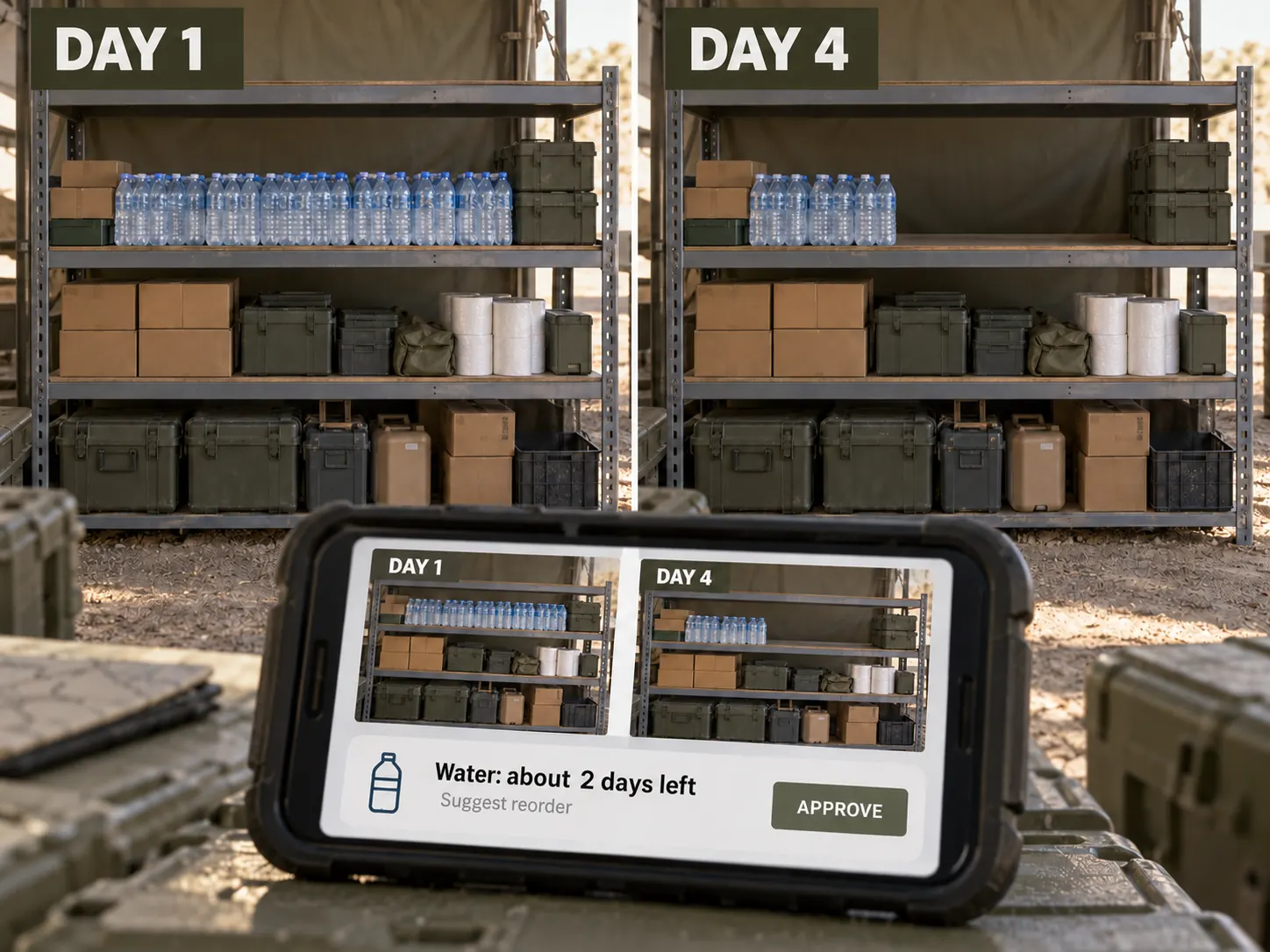
Inventory assistant
Same shelf across days; lower stock and proposed reorder.
Touch first
Drag an identified item to an action; offer voice input.
AI-assisted work: PHOTOGRAPH one or more items → CONFIRM the proposed identification → choose a handling or inventory action by touch or voice → REVIEW the prepared record or form.
The code is public; the record is protected
The visible words are a public identifier, not a password or private key. Payment and authorization remain in signed backend records.